

Small and Medium-sized Enterprises (SMEs) can now apply for financing online through the State Bank of Pakistan’s digital portal, ‘SME Connect’. The process involves a few steps: first, you must create an account; next, verify your business bank account; and then, enter your business details.
Finally, you submit your financing application to your bank. The State Bank of Pakistan has also released a video tutorial on how to use this platform, which will help you complete the registration process with ease. This portal serves as a unified platform for both SMEs and banks. It is available in both English and Urdu, allowing business owners to understand how to submit applications and secure financing.
Check Eligibility Criteria For SMEs Financing Scheme
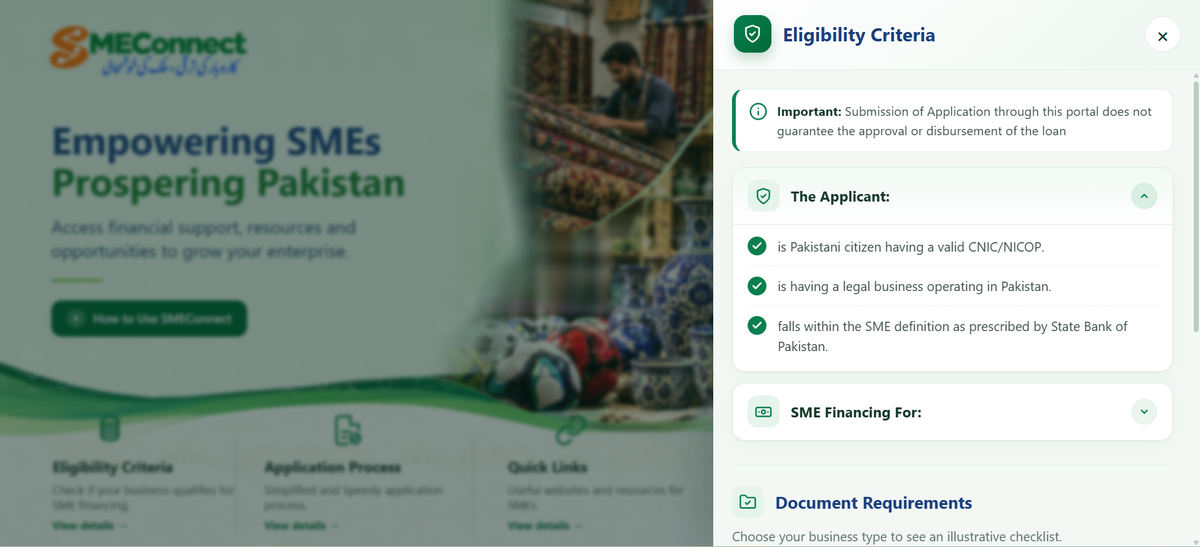
- If you wish to complete your registration for the SME Financing Scheme, you must first visit the official website provided by the State Bank.
- Once there, click on the “Check Eligibility” button to review the eligibility criteria.
- The criteria state that you must be a Pakistani citizen and possess a valid National Identity Card (NIC).
- You must also own a business that is currently operational within Pakistan.
- Furthermore, you are required to create an account on the portal. Before applying for this financing, ensure you have the following documents ready:
- Your National Identity Card, details regarding any business partnership, financial statements, and a certain amount of funds to serve as financial security.
You Can Also Read: SPSC Job System Completely Shift Into Digital
SMEs Financing Scheme Account Creation
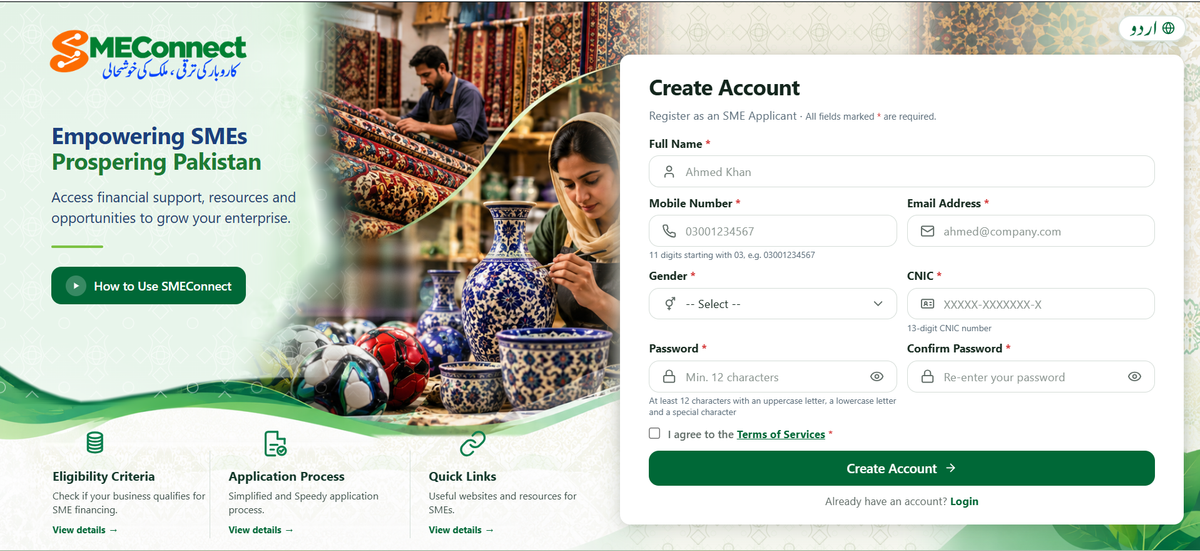
SME Connect is a portal launched by the State Bank of Pakistan that brings both banks and customers together on a single platform. The account creation process has been designed to be extremely simple.
- To begin, click on the ‘Create New Account’ button. You also have the option to create an account by connecting your Google account.
- If you prefer to proceed manually, follow these steps: click the ‘Create Account’ button.
- Next, enter your full name and phone number, select your gender, and provide your national ID card number. Then, create a strong, 12-character password.
- Click the ‘I Agree’ button to accept the terms and conditions, and then click the ‘Create Account’ button.
- Your account creation request will be processed, and you will receive an OTP (One-Time Password) via your mobile phone or Gmail.
- Enter this OTP into the portal, and your account will be successfully created.
You Can Also Read: BISE Rawalpindi Launches Digital Paper Marking
Verify Your Business Bank Account By Put IBN
Next, you need to enter your bank’s IBAN. Please note that if you have accounts with multiple banks, you should provide the IBAN for the specific bank through which you wish to obtain financing; the system will then automatically retrieve all the necessary details. There is also an option below to enter your information manually. Once you enter the IBAN, you will be prompted to provide your business information, which you must also enter.
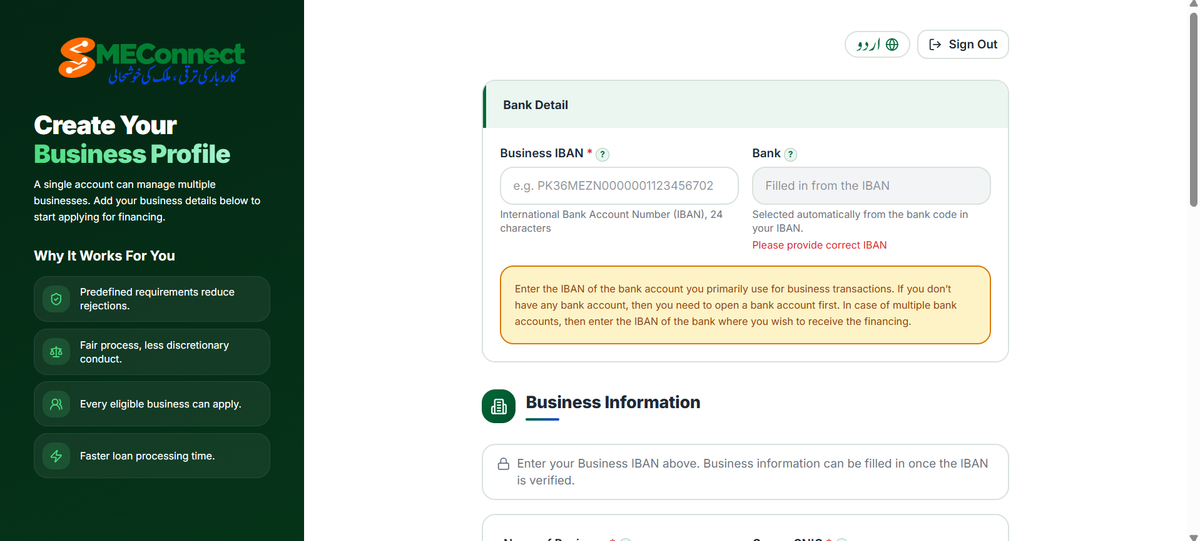
Business Information
As soon as you enter the IBAN, the ‘Business Information’ section will automatically appear below. You will need to provide the following details: the name of your business, the business owner’s ID card number, a mobile phone number, the owner’s email address, the NTN (National Tax Number), city, region, and business address. Additionally, you must specify the annual turnover, the number of years since the business was established, the nature of the business (e.g., whether it is registered in your name or otherwise), the type of business, and its legal status (e.g., a partnership, a sole proprietorship, or a private limited company). Once you have entered all the necessary business registration details and information, click the ‘Next’ button.

Apply for Financing
- Once your application is complete and your account has been created, navigate to the dashboard.
- Click on the “Apply for New Financing” button. The application process consists of three stages:
- Business Information, Financing, and Financing. In the financing section, you will need to provide details regarding the loan amount you require.
- Next, specify the financing mode, the amount you are seeking, and the desired tenure.
- Additionally, there is an option for Islamic Financing; by selecting this, you will be provided with a loan that is free from interest
Review and Submit
After gathering all the necessary information, review your details. If you are not yet ready to submit your application, you can save it as a draft and return to complete it later.
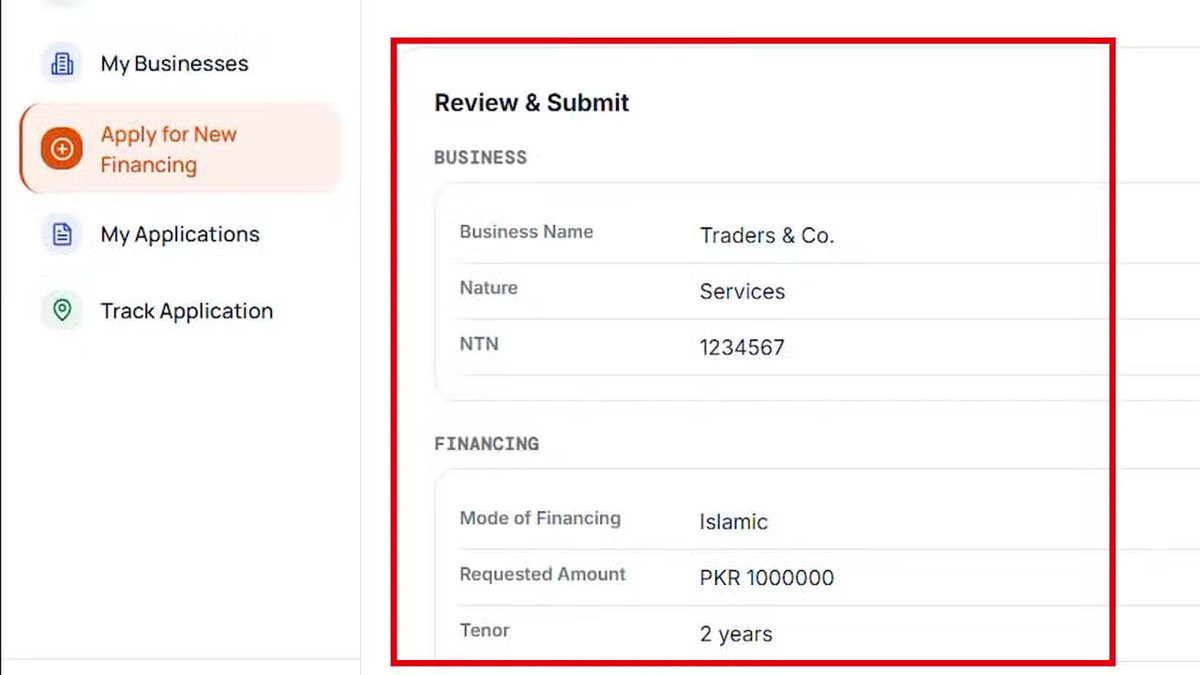
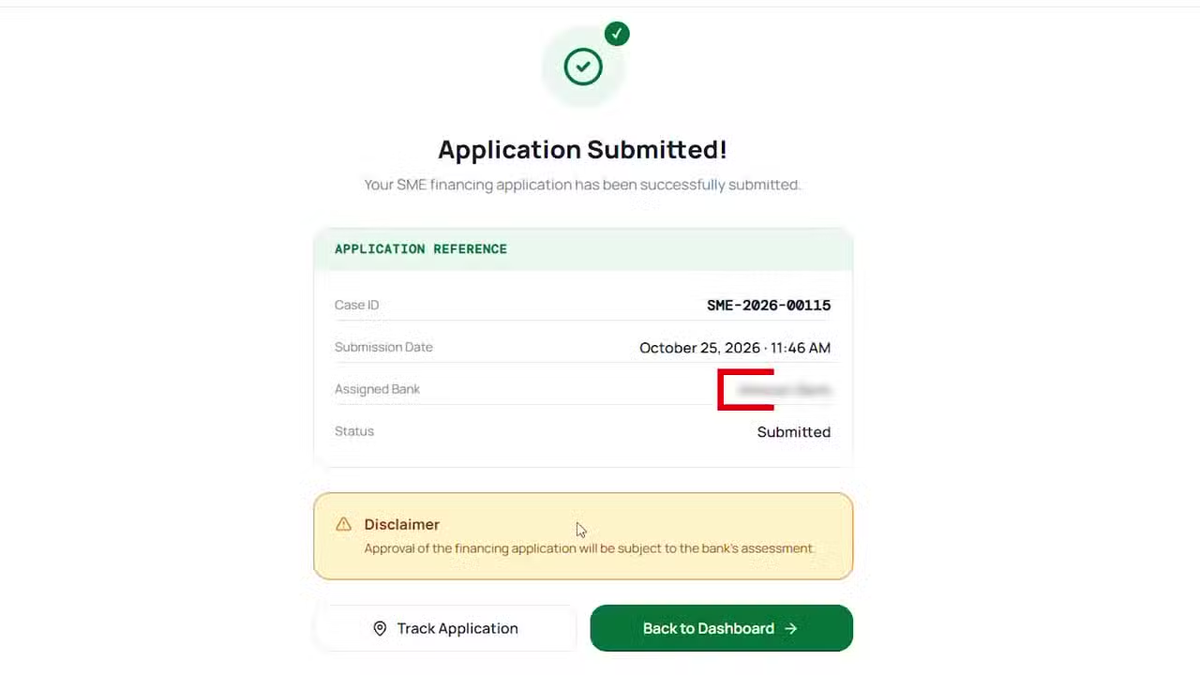
To submit your application, click on “Submit Application.” Read and agree to the terms and conditions, then click the “Submit” button. The system will subsequently display your application reference, including the Case ID, submission date, the selected bank, and the application status. Please note that the approval of financing is subject to the bank’s own internal policies and criteria.
Check Application Status After Submission
You can check the status of your application at any time using the ‘Track Application’ option. For further information, the relevant bank will contact you via the mobile number or email address you provided during the application process. According to the State Bank of Pakistan, if the information and documents you have submitted are complete and accurate,
the bank following the guidelines of its nearest branch will make a decision on your financing application within a specified timeframe. You need to log in to the portal using your registered email address and password. After that, enter the OTP (One-Time Password) that has been sent to your mobile phone number or email address. If you have forgotten your password, you can reset it using the ‘Forgot Password’ option and access all your information.
SMEConnect Helpline For Loan
For information regarding ‘SME Connect’ or the financing of Small and Medium-sized Enterprises (SMEs), you may contact your bank or the State Bank of Pakistan’s helpline email address smeconnect@sbp.org.pk and the number +92 21 111 727 273 for queries. This portal also provides answers to frequently asked questions.
For inquiries, you can reach out via the SME-dedicated email address or phone number. Complaints can be lodged through the State Bank’s ‘Sunwai’ app or its mobile application. This platform is part of an initiative to promote access to credit for small businesses, under which the central bank facilitates the provision of loans to borrowers.
1 thought on “SBP SMEConnect Portal 2026 Apply for Small Business Loans Online”